Advertisement
Is your Windows PC turning off when you least expect it? Here’s a straightforward checklist to resolve that, step by step:
1. Tweak Your Power & Sleep Settings
- Press Start → Settings → System → Power & Sleep.
- Make sure your PC is not set to shut down or sleep too quickly—set both “Screen” and “Sleep” timers to longer intervals or choose Never if you’re troubleshooting.
2. Prevent Automatic Restarts on System Errors
- Open Control Panel → System and Security → System.
- Click Advanced system settings on the left.
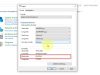
- Under Startup and Recovery, click Settings.
- Uncheck “Automatically restart” under System failure.
This ensures that any non-critical issues won’t cause sudden shutdowns, and you’ll see an error message instead.
3. Keep Drivers Up to Date
- Open Device Manager (Press Start and type it).
- Look for any items with a yellow warning triangle.
- Right-click each and choose Update driver.
Outdated or faulty drivers can cause instability—including abrupt shutdowns.
4. Scan for Malware or Viruses
- Open your preferred antivirus or Windows Security.
- Run a Full System Scan.
Malicious programs can take control of your PC and cause it to shut down on their own.
5. Watch for Overheating
- Use a tool like HWMonitor, Core Temp, or Speccy to view CPU and GPU temperatures.
- If temps are reaching 90°C or above, shutdowns may be thermal-protection kicks.
- Clean dust from vents and fans, or apply fresh thermal paste if needed.
Quick Maintenance Tips
- Dust and poor airflow = heat buildup. Clean your PC regularly.
- Windows Updates and driver updates often resolve hidden bugs—keep everything current.
- Use a surge protector to avoid power spikes that could cause shutdowns.
- Excessive background apps can overload the system—monitor and close them if needed.
One-Minute Summary
Check your sleep/power settings, disable forced restarts on crashes, update drivers, scan for threats, and ensure your system isn’t overheating. Each step addresses a common cause of unexpected shutdowns.
Advertisement